A Jellyfin client for your phone, your tablet and your TV.
Ephyra plays your Jellyfin library on Android phones, tablets and Android TV. It is forked from Findroid and adds downloads worth using, Dolby Vision, and a TV app built for the remote.
On the phone
Everything Findroid does, and these things on top. Findroid's own changes are merged in regularly.
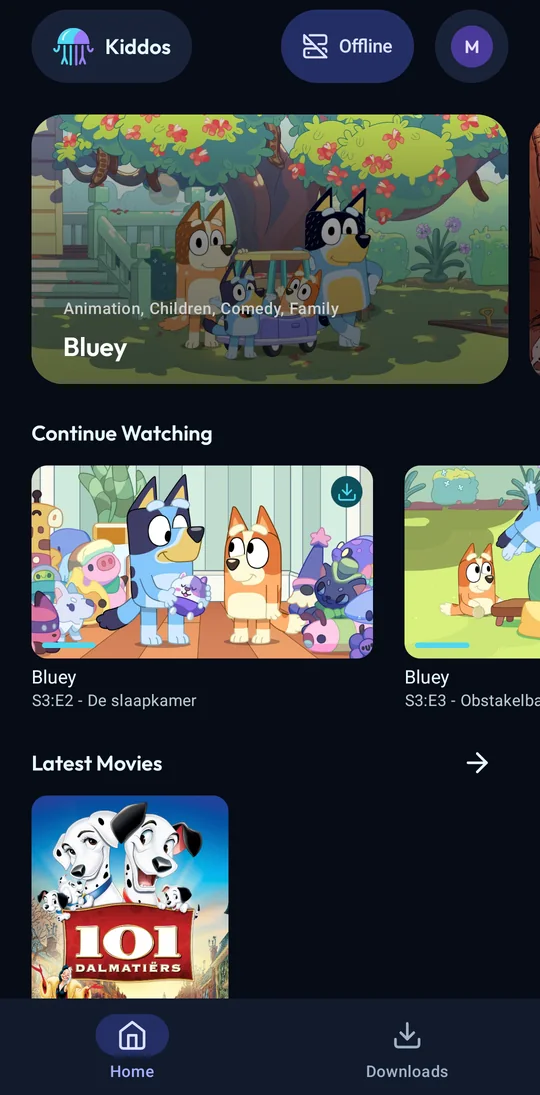
Downloads
- Resumable, with SD card support. Built on OkHttp, not Android's DownloadManager.
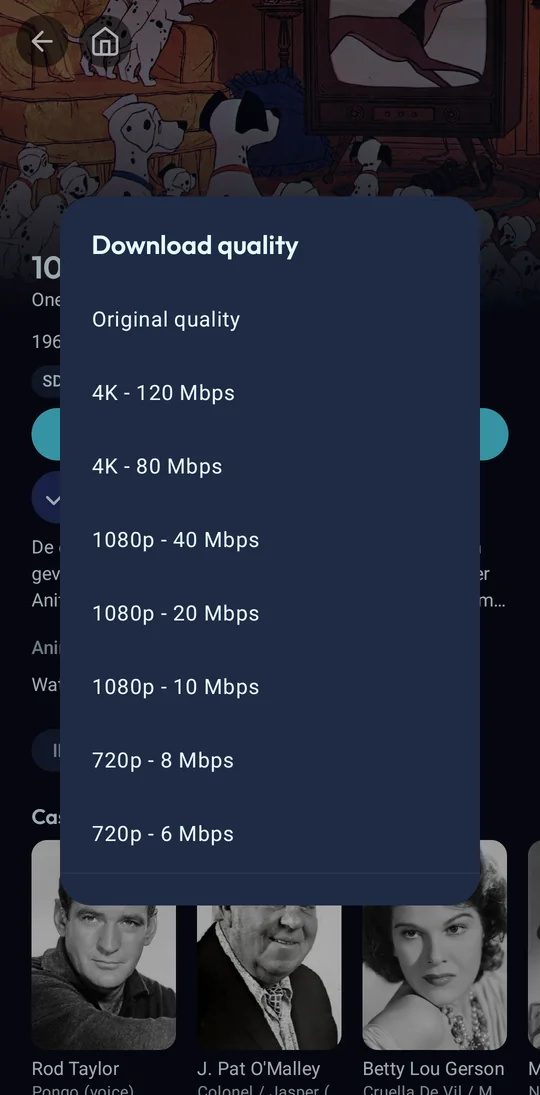
- A quality per download: the original, or a server conversion from 4K down to 360p.
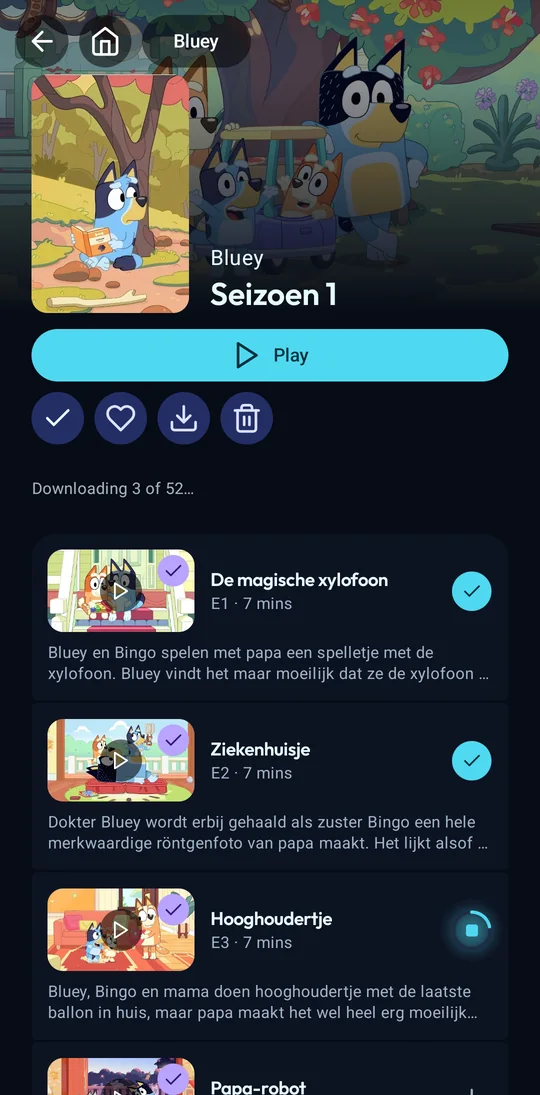
- Whole seasons or series at once, or only their unwatched episodes, with a limit on concurrent downloads.
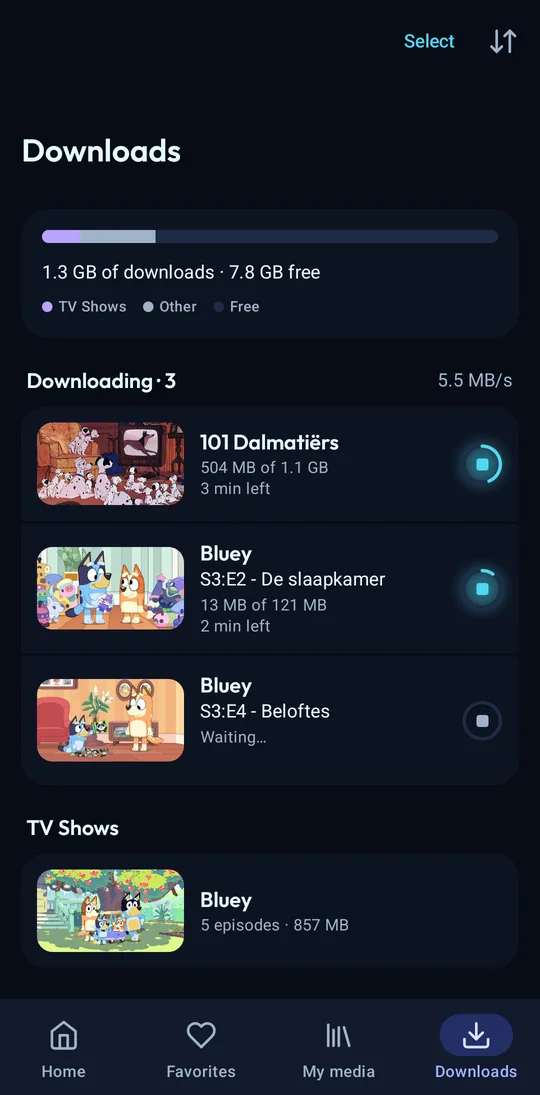
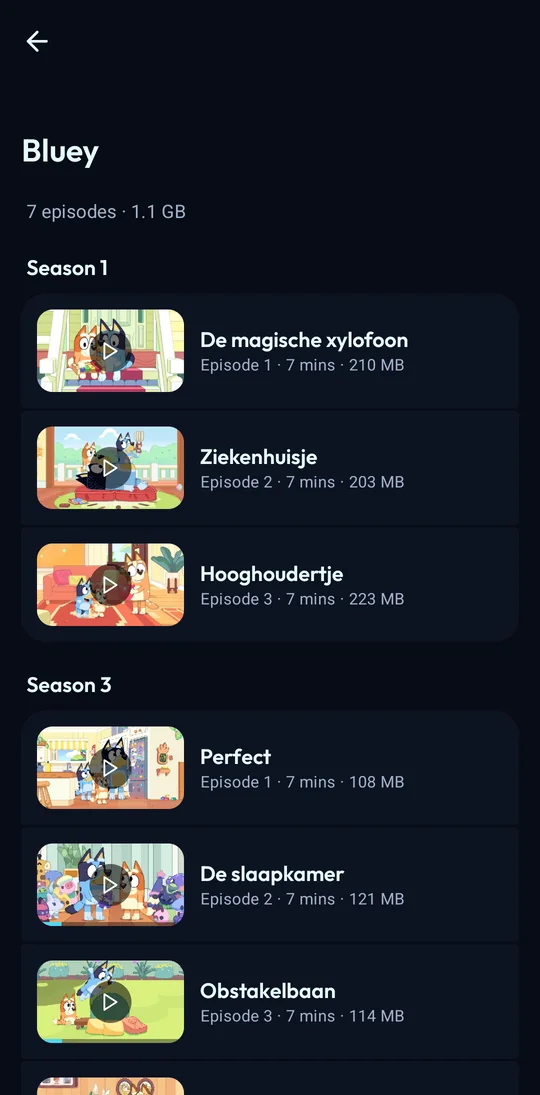
- A Downloads screen with progress per episode and per show, a storage breakdown, multi-select and undo.
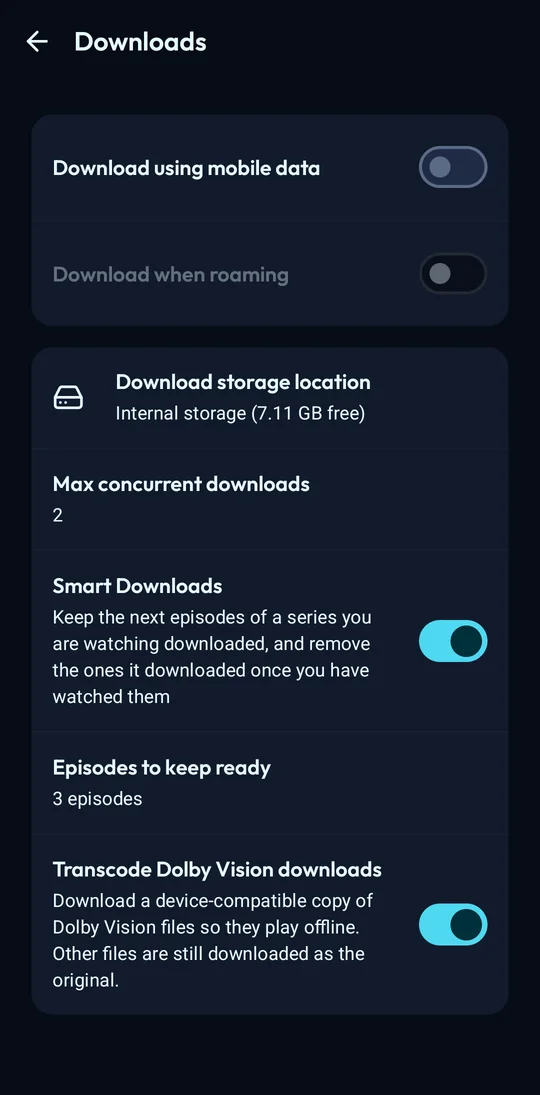
- Smart Downloads (opt-in) keeps the next episodes of what you're watching and removes them once watched.
- In step with the server: what you watch offline is sent when you're back and moves up in Continue Watching, and progress made on your other devices reaches your downloads.
Playback
- Dolby Vision direct play where the device supports it, transcoding where it doesn't. Dolby Vision downloads can be converted to a device-compatible copy.
- Platform decoder first (Atmos), ffmpeg if a decoder fails.
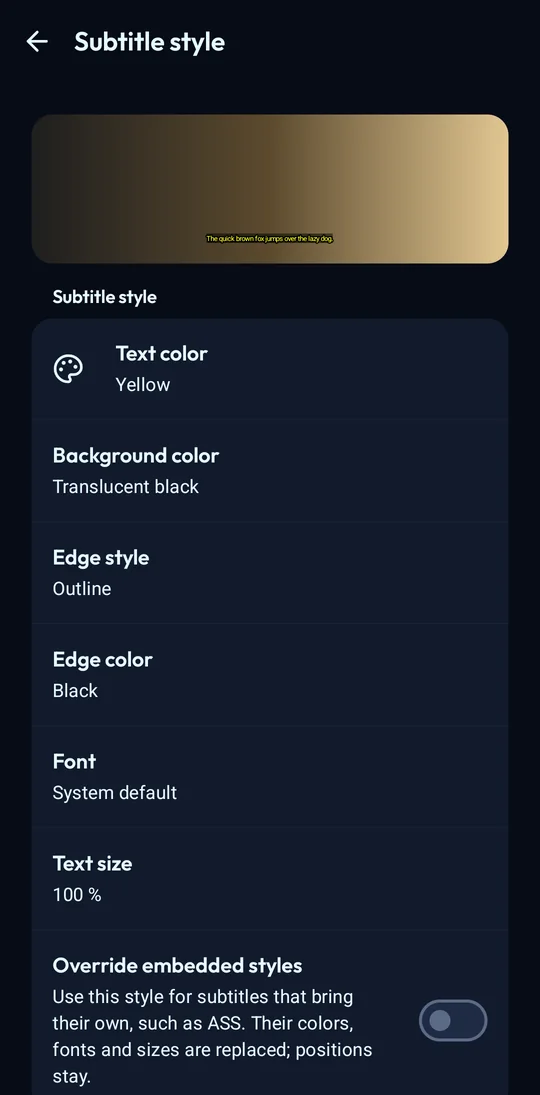
- PGS, VobSub and DVB subtitles without transcoding. Subtitle colour, outline, font and size, on ExoPlayer and mpv, with a switch to override a track's own styling.
- Subtitle sync during playback: move subtitles earlier or later, or line one up with what is said.
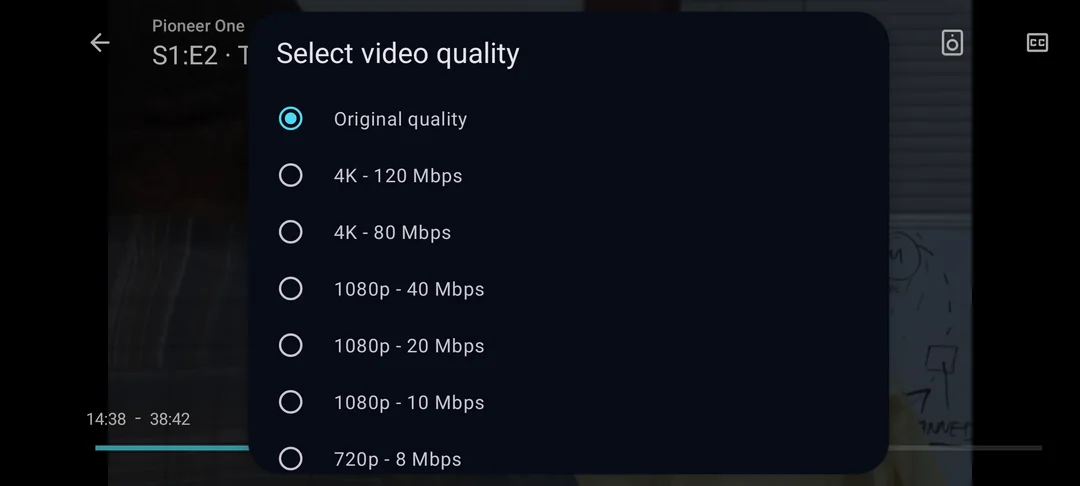
- Version picker before playing, quality switch during playback.
- Audio and subtitle choice remembered per series and per user.
- Plays on into the next season. Shuffle a show or a season. Chapter list. Skip, ask or ignore per media segment type. "Still watching?" after a run of autoplayed episodes.
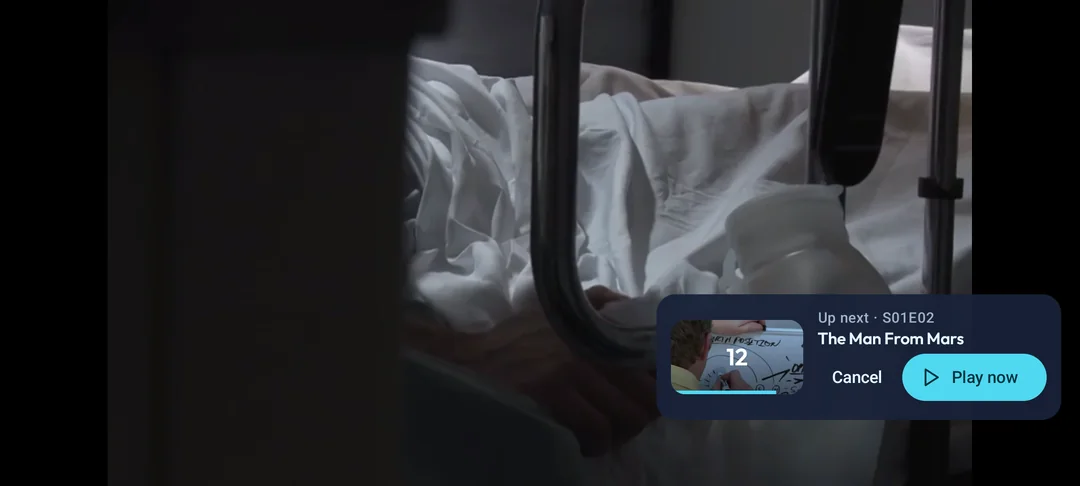
- "Up next" card with a countdown at the end of an episode. Sleep timer.
- Background audio with lock screen controls (opt-in).
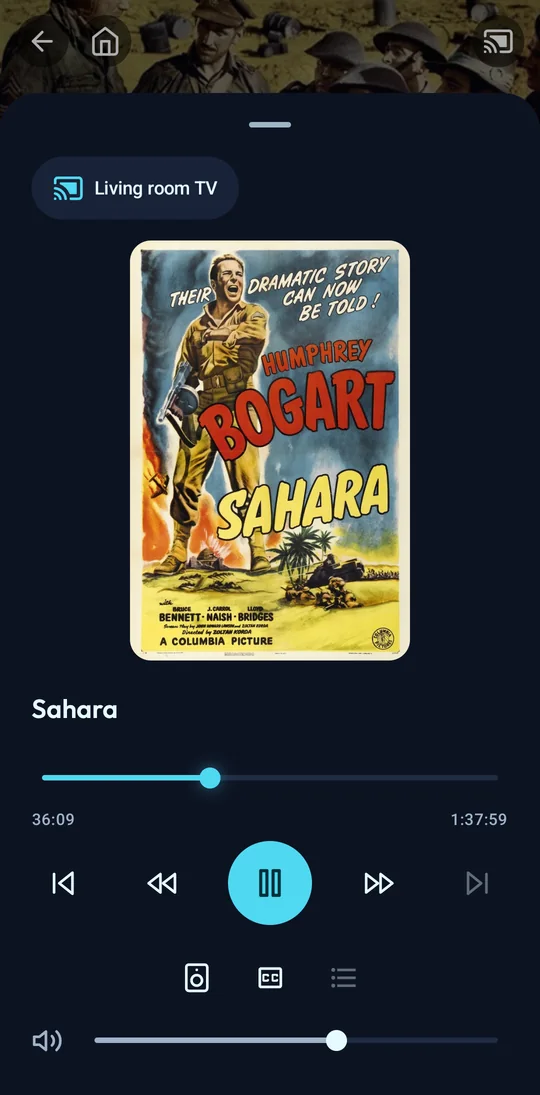
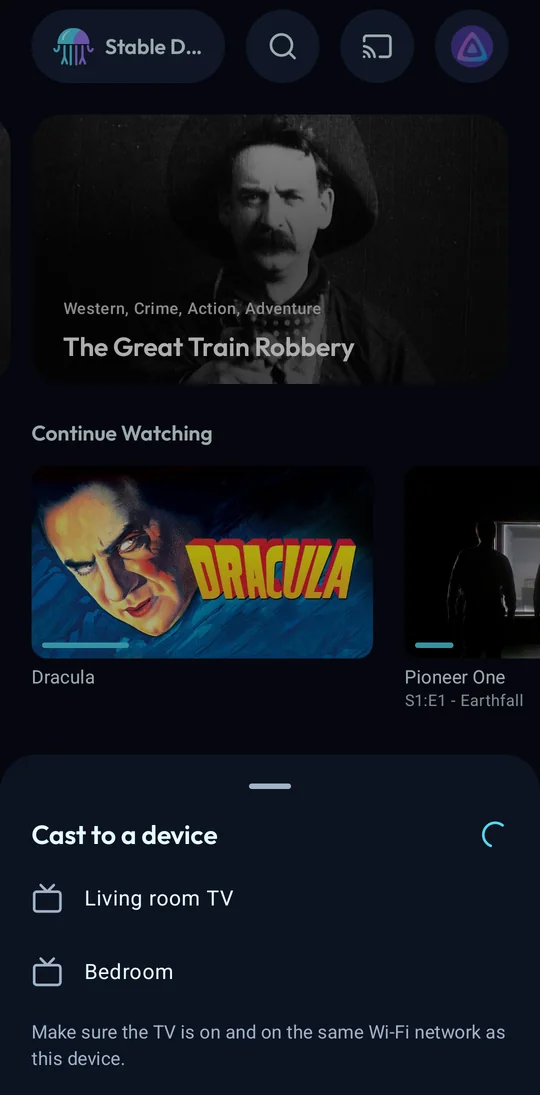
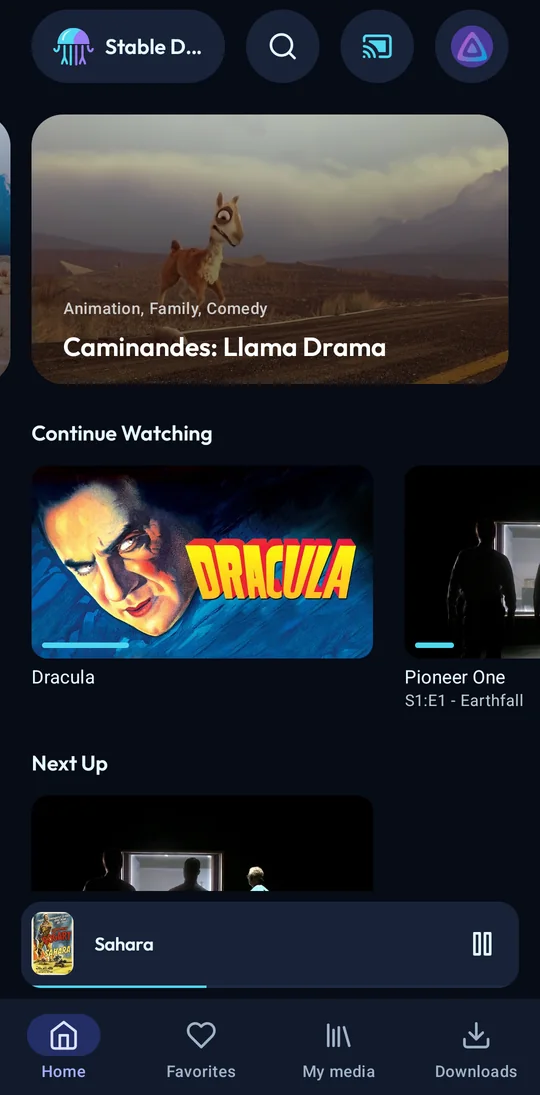
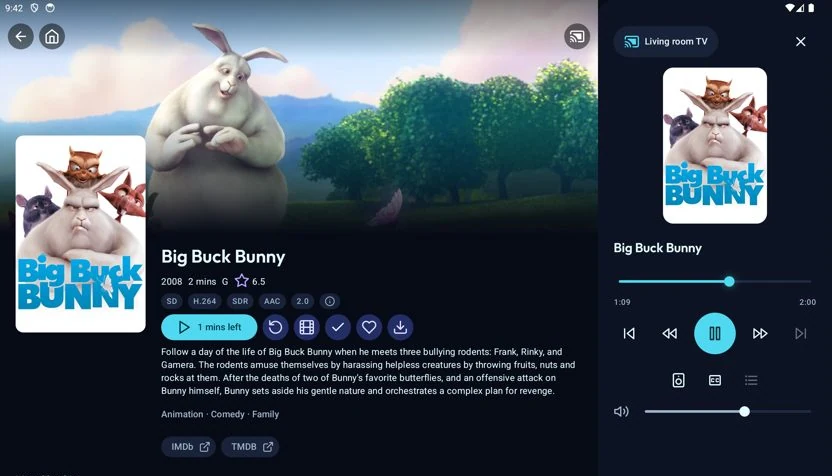
- Google Cast (Chromecast): pick a device from the top bar and cast from any item. A mini player and a remote control player take over, with seek, previous and next, volume, audio and subtitle tracks, skip segments. Phone and tablet only, in the proprietary variant (see Install).
Library
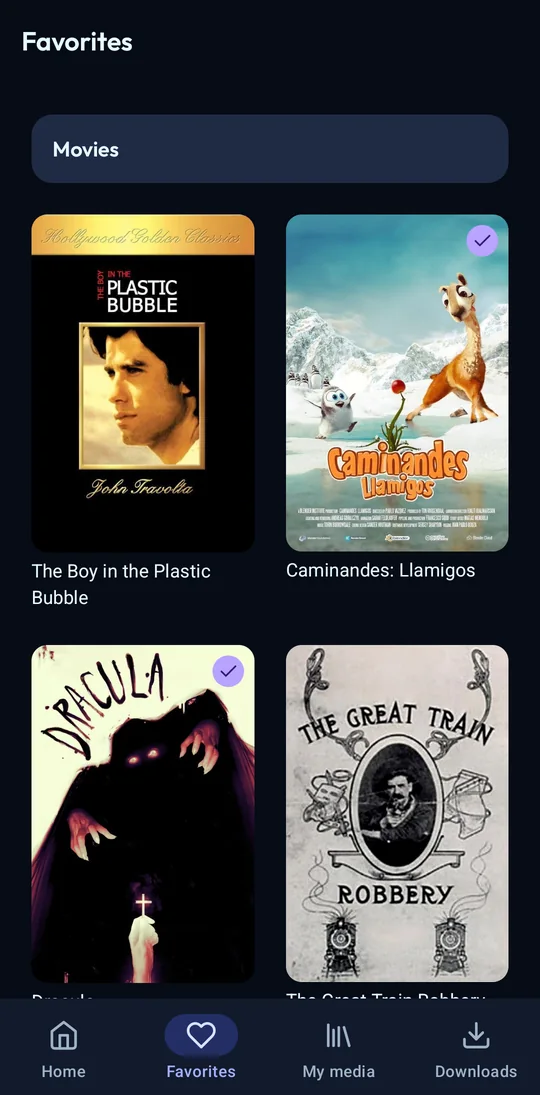
- Favorites tab.
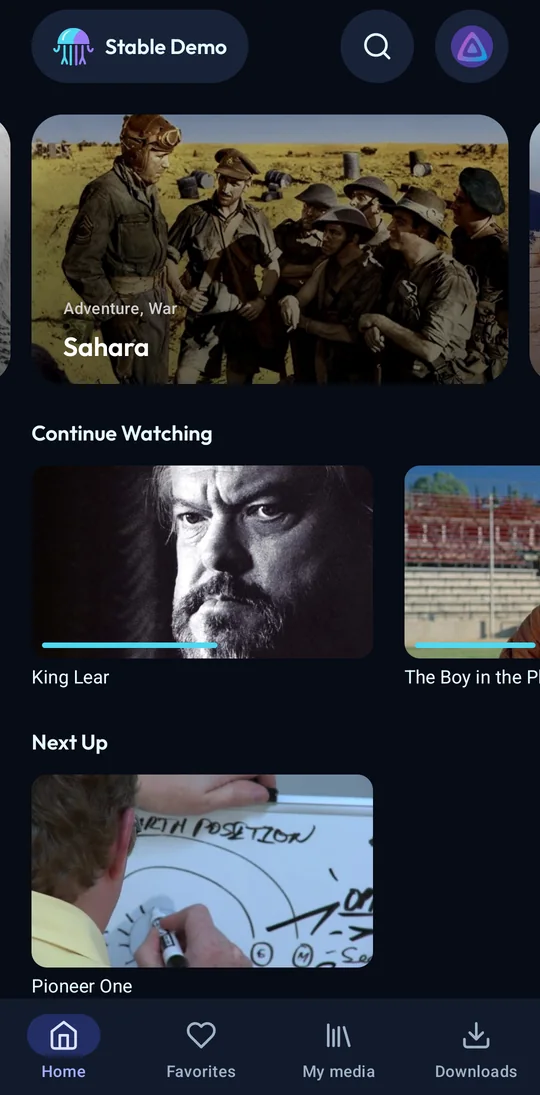
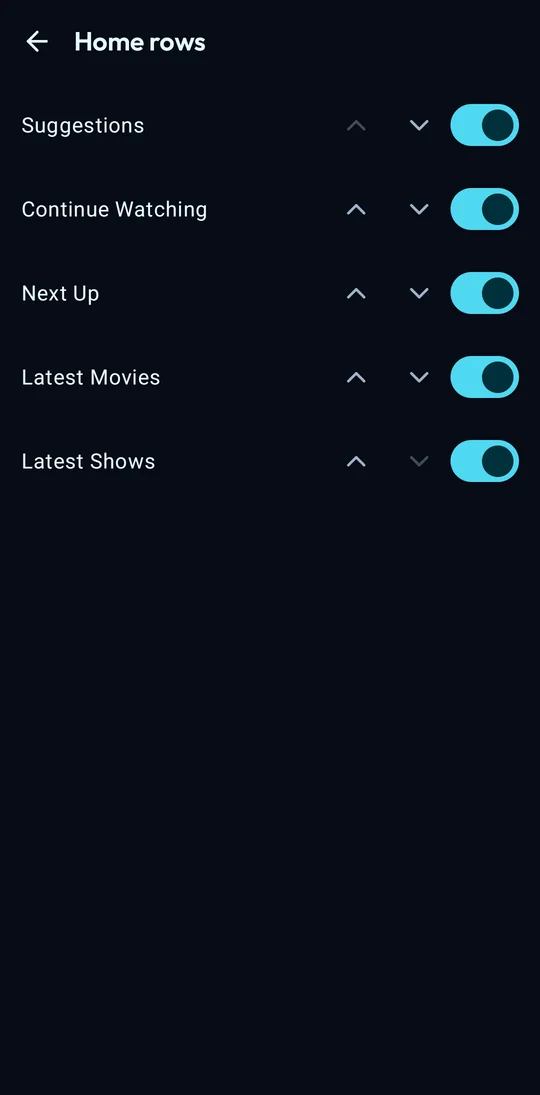
- Home rows you choose and reorder.
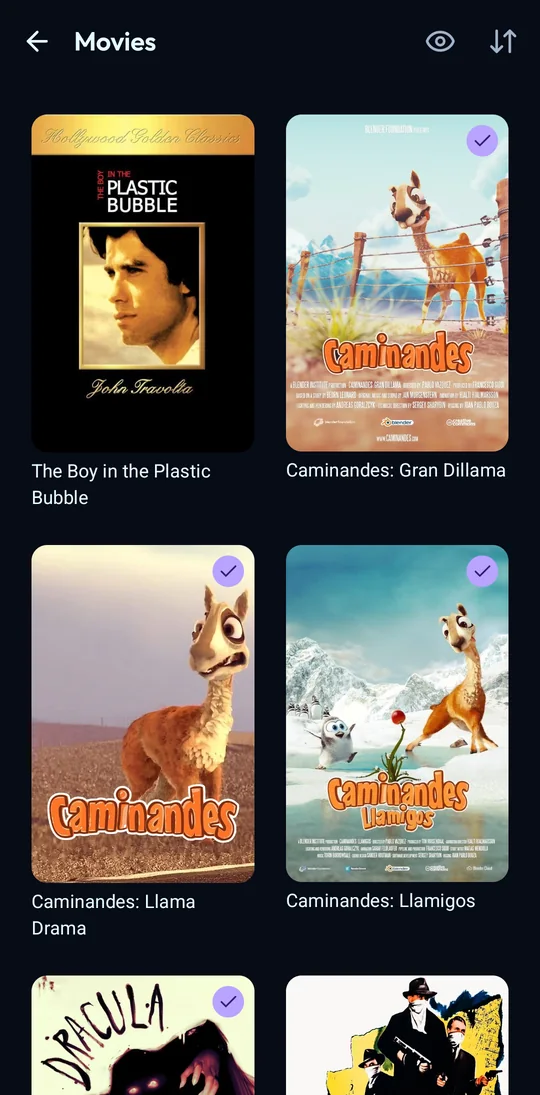
- Hide-watched filter, kept across libraries.
- When the server doesn't answer, a banner says so and leads to your downloads, which open and play without it. It goes by itself when the server is back.
- Error screens with Retry, and real empty states.
- Long-press to copy text on detail screens. Option to hide cast and crew.
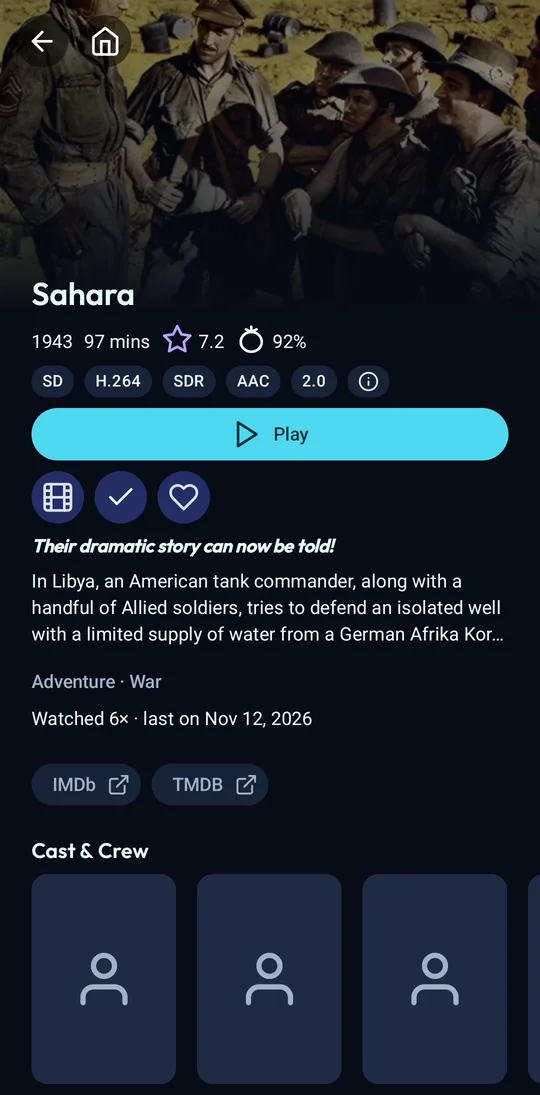
- HDR10+ and Dolby Atmos badges on movie and episode pages.
- Movie and show pages with the critic score, tagline, studios, every trailer, extras, collections and "More like this", each with a switch.
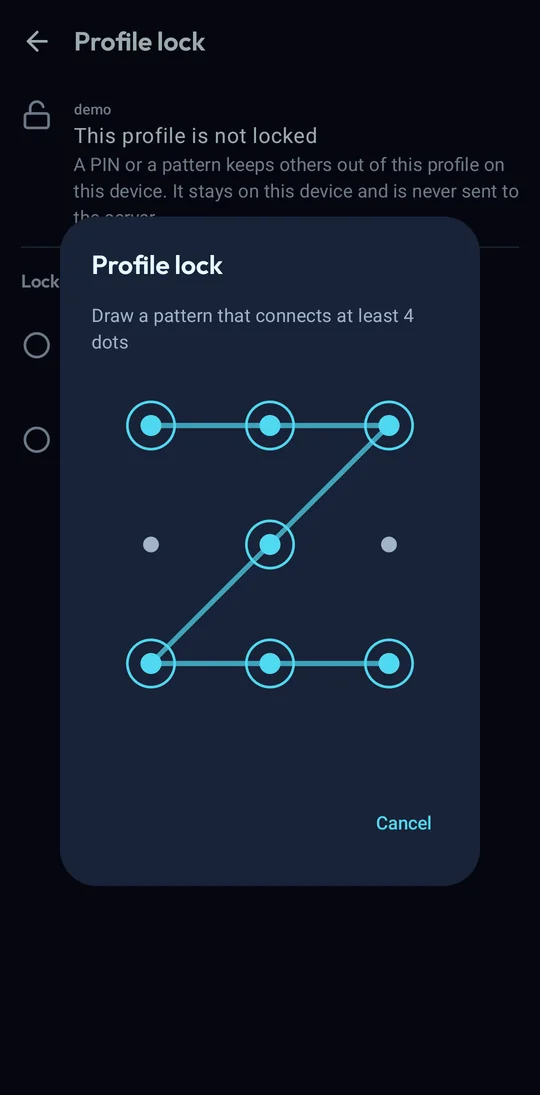
- Profiles: user faces, default avatars and one-tap switching between users. A profile can be locked with a PIN, or a pattern on the phone, kept on the device.
- Its own look: deep navy, cyan for what is playing, downloading or focused, violet for what is yours. Material You colours are an option.
On a tablet
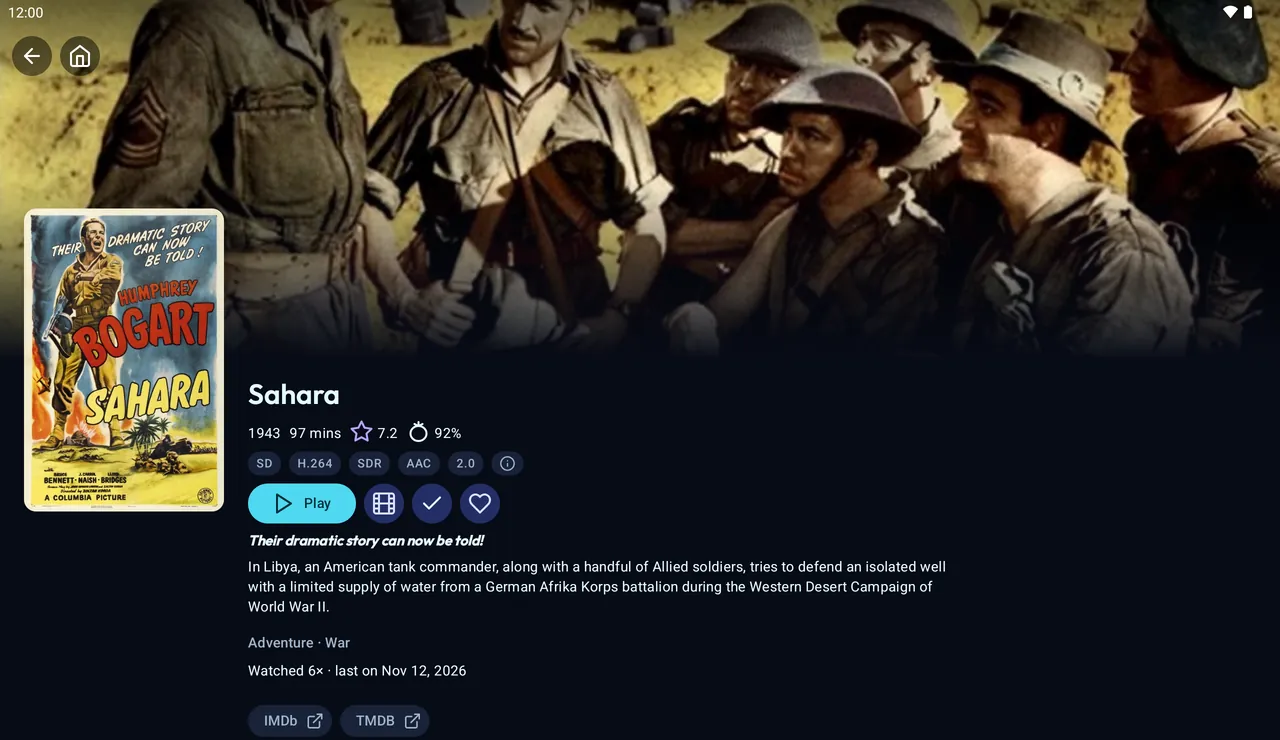
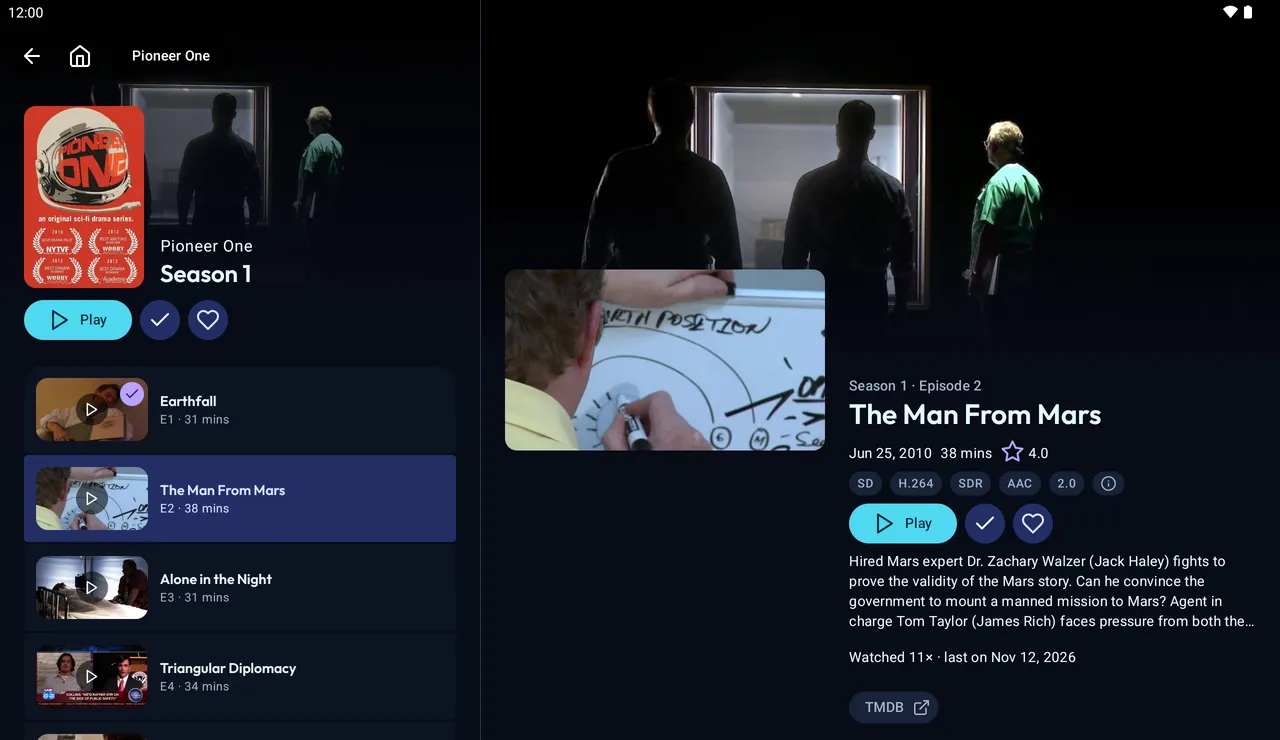
The phone app, laid out for the window rather than the device. A tablet, an unfolded foldable, a split-screen half and a desktop window each get what fits.
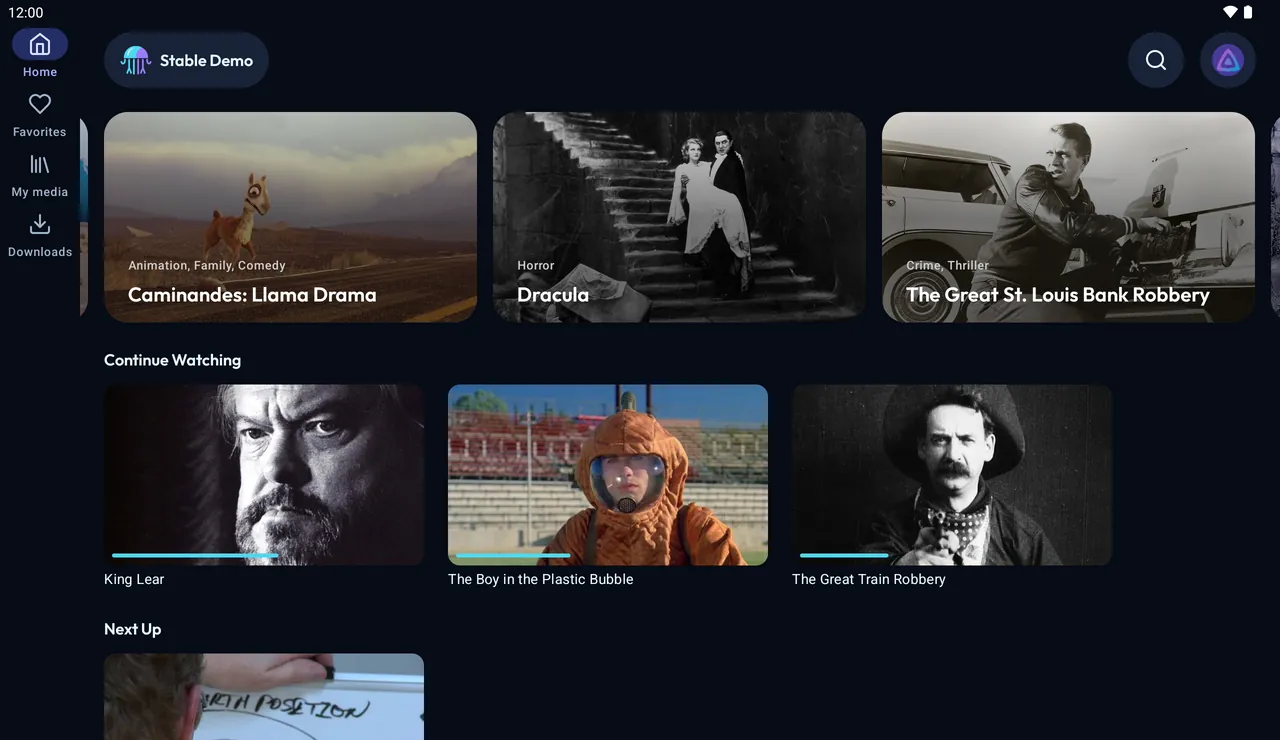
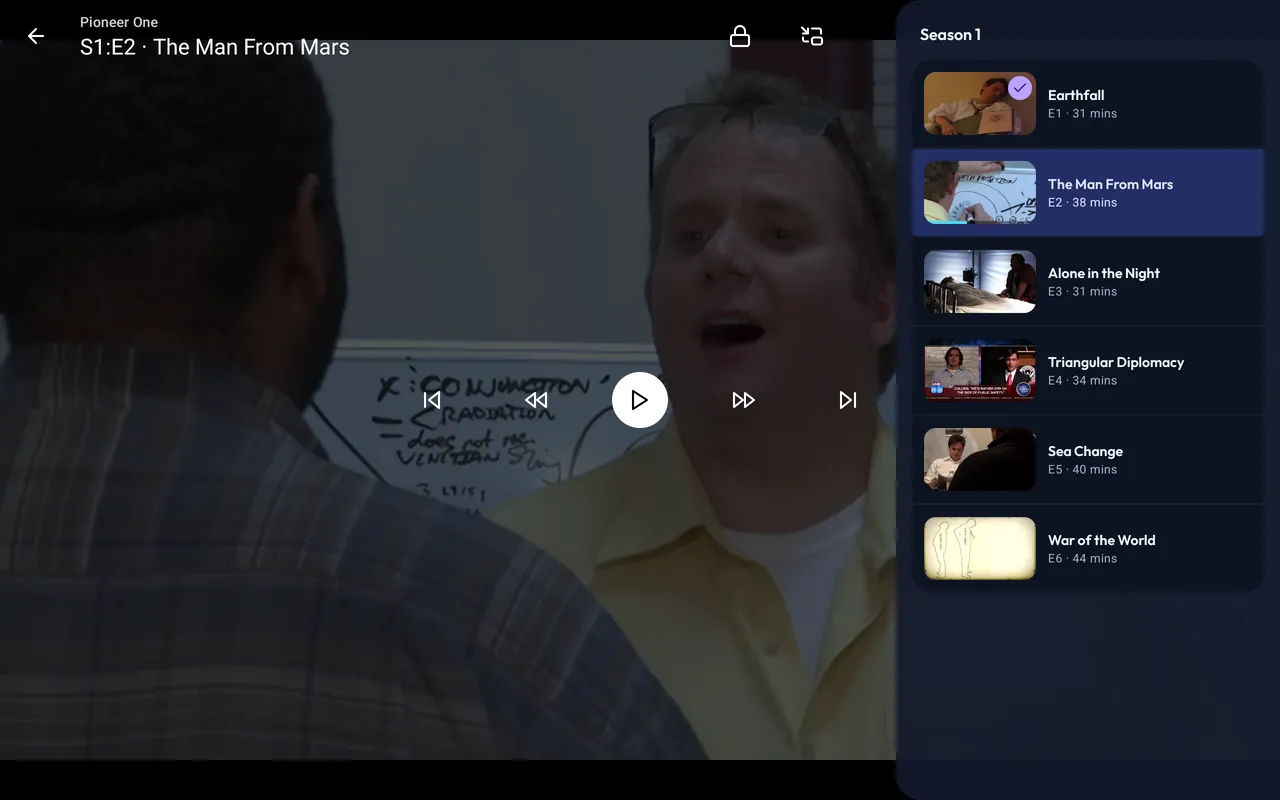
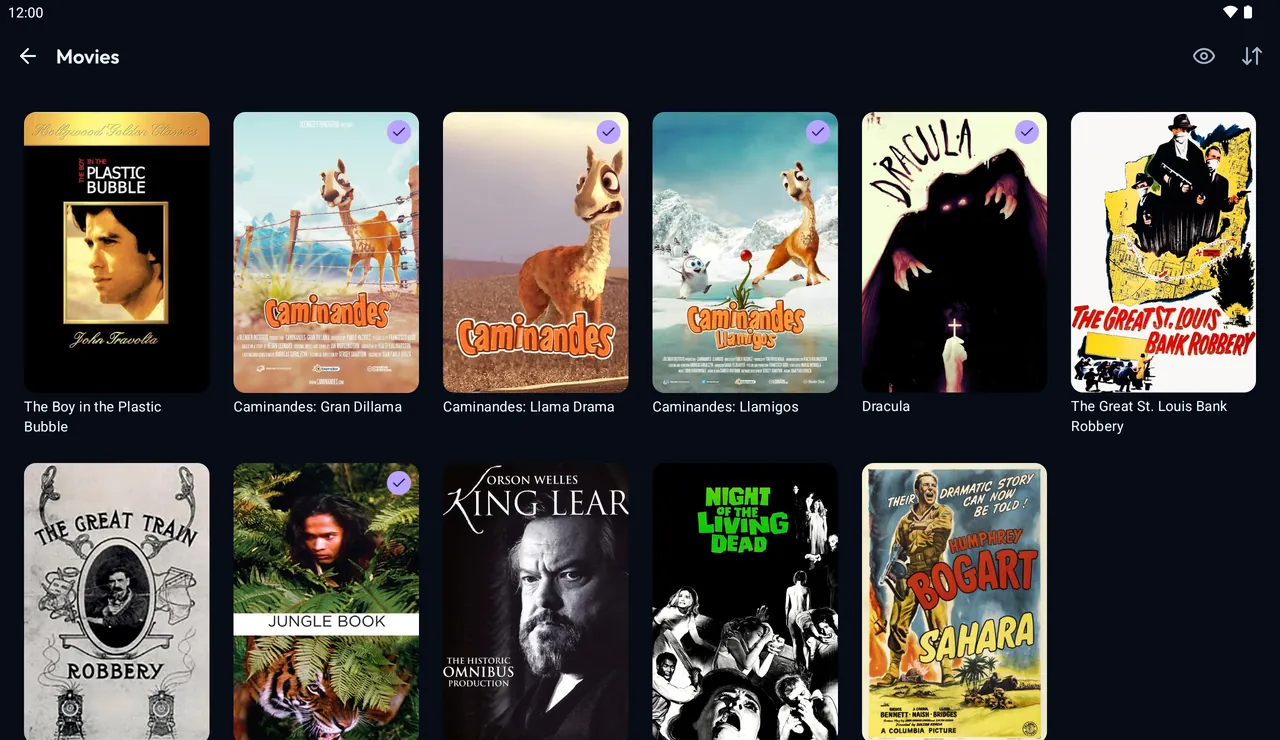
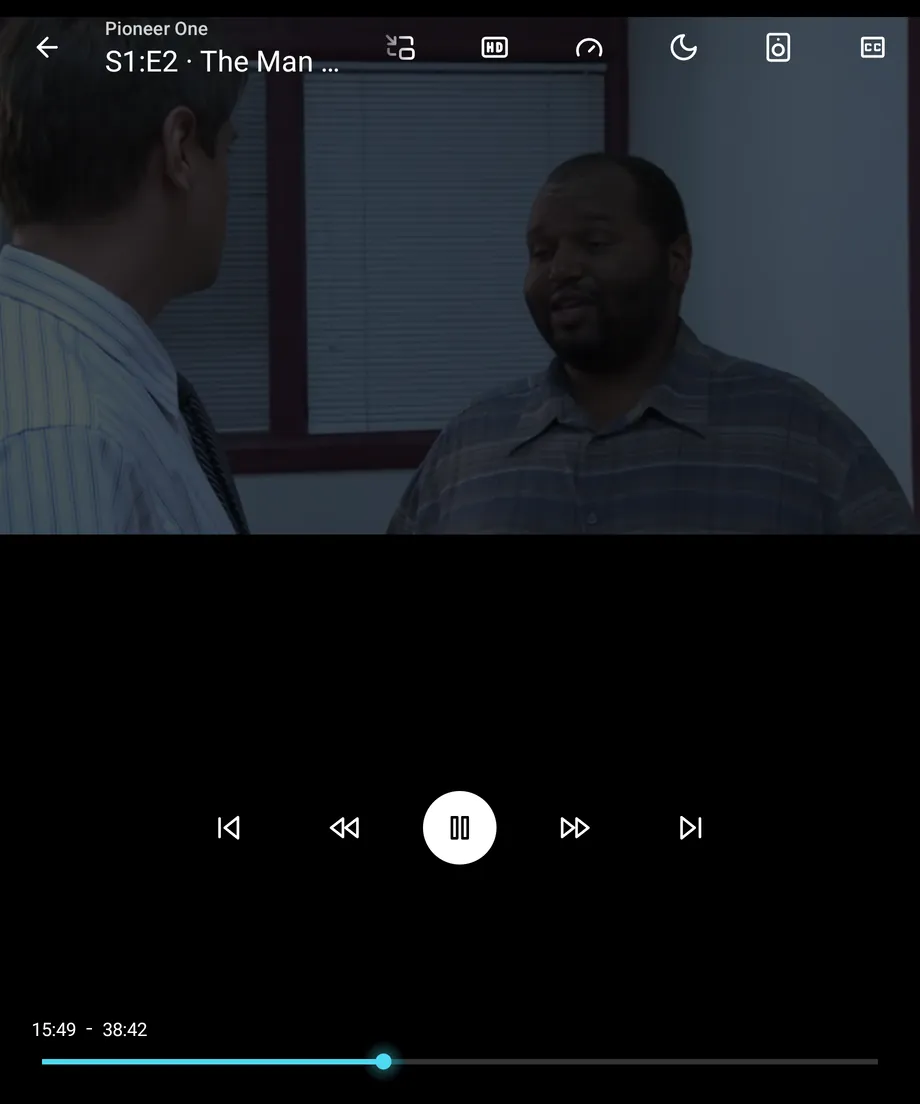
- Navigation rail from 600 dp. Home shows two or three carousel pages and wider cards.
- Movie, show and episode pages put the poster and the text beside each other over a full-width backdrop.
- Seasons open as a list with the selected episode beside it on a landscape tablet.
- Player: plays in the orientation you hold it in, edge-only volume and brightness swipes, roomier controls, an episode panel.
- Keyboard map (Space, arrows, M, L, Esc) and mouse support in the player; Ctrl+F for search.
- Foldables: in tabletop posture the video sits above the fold and the controls below it.
- Downloads in two columns, settings and forms at a readable width.
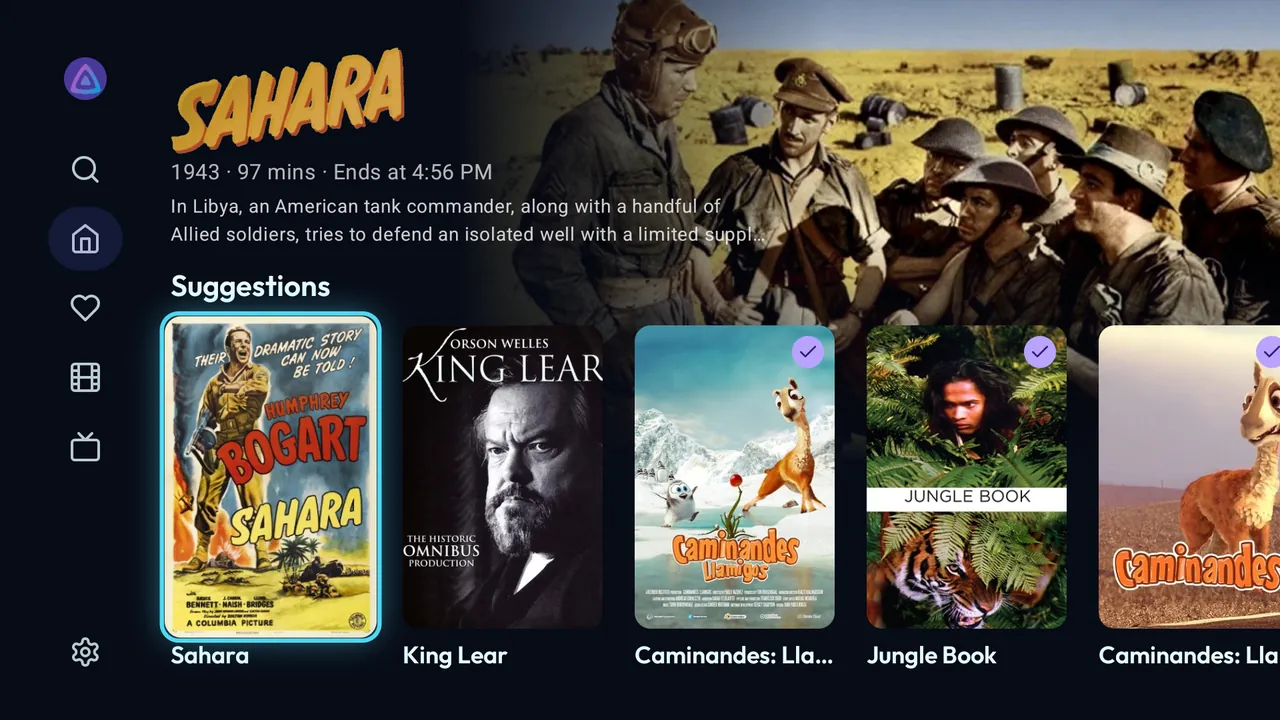
On Android TV
A separate app, built for the remote. Same login and server as the phone app, same releases.
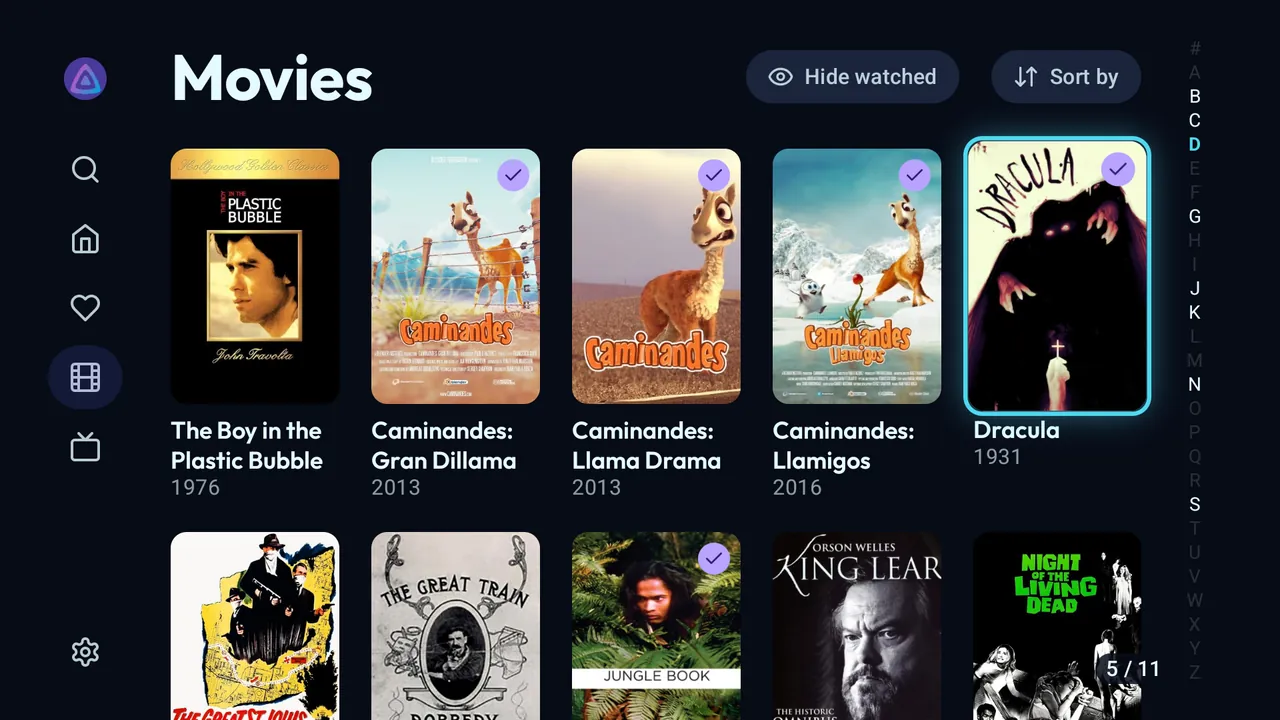
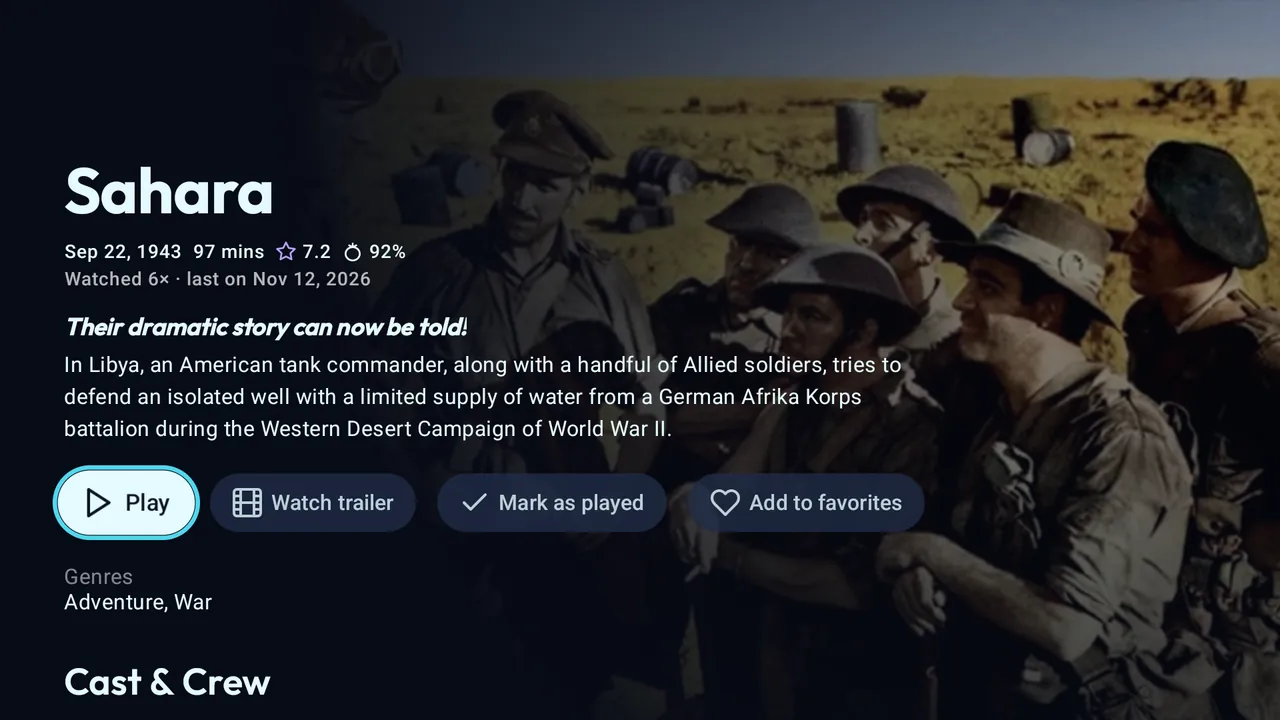
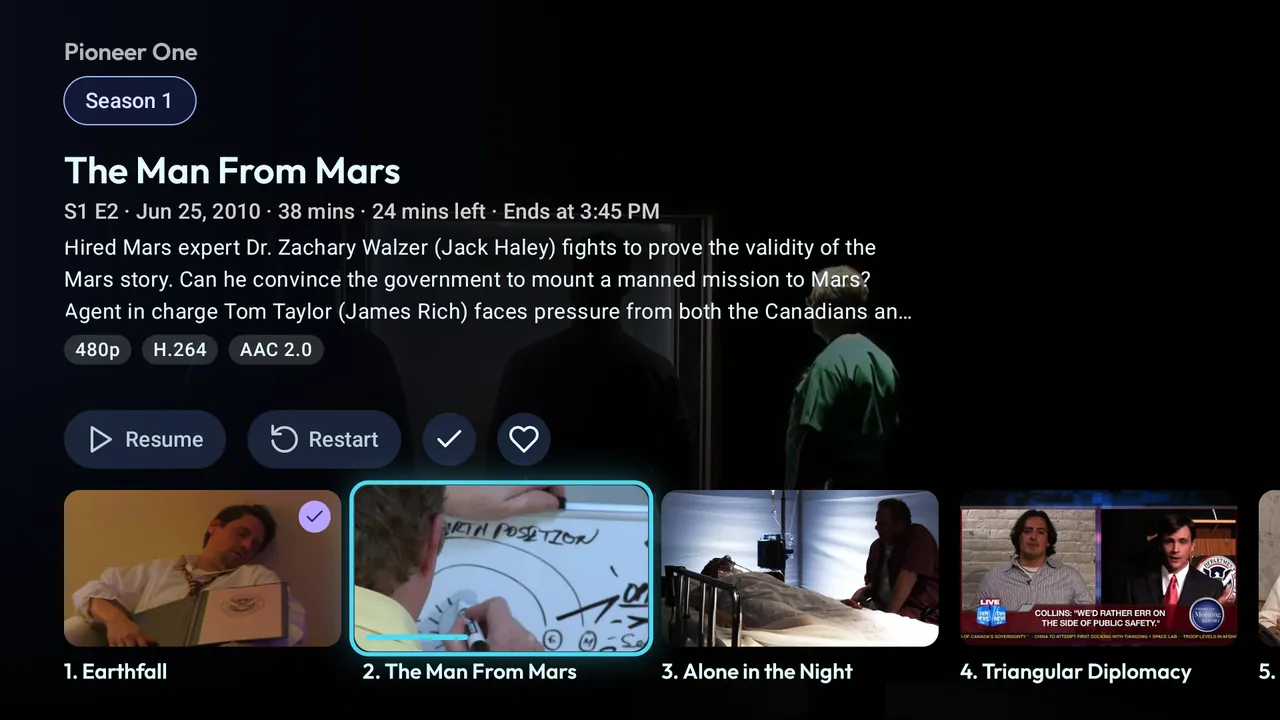
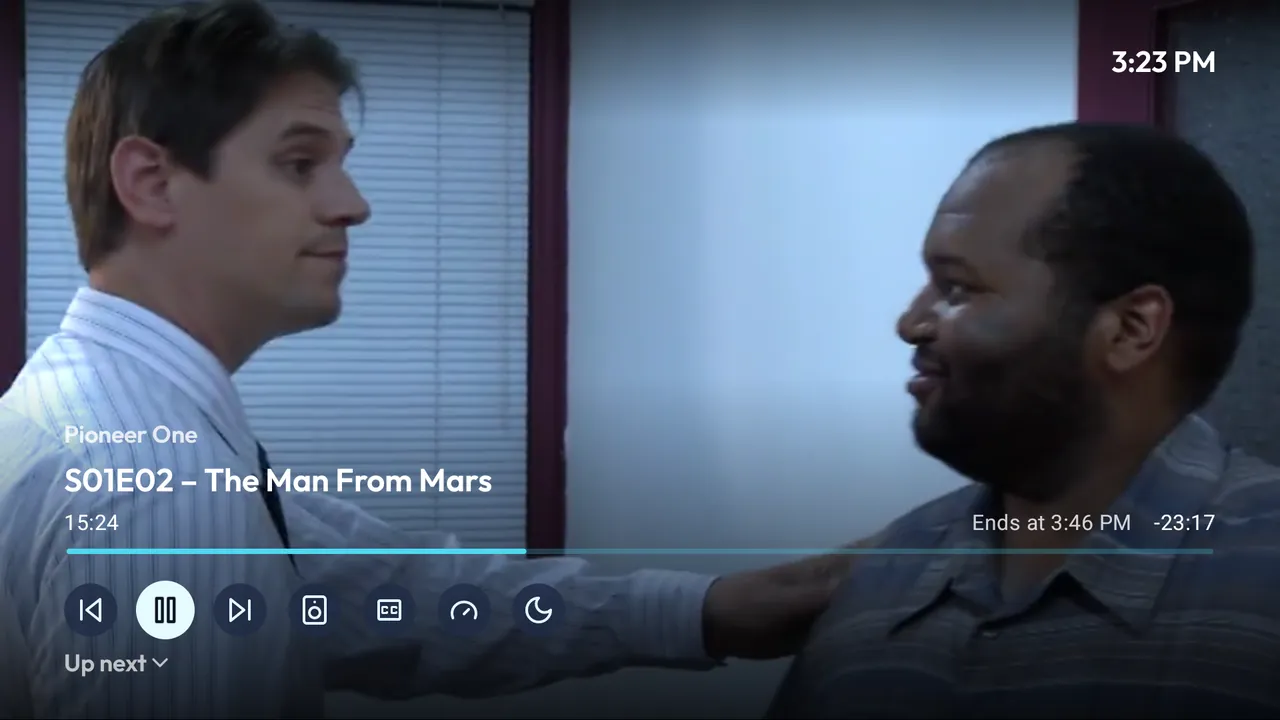
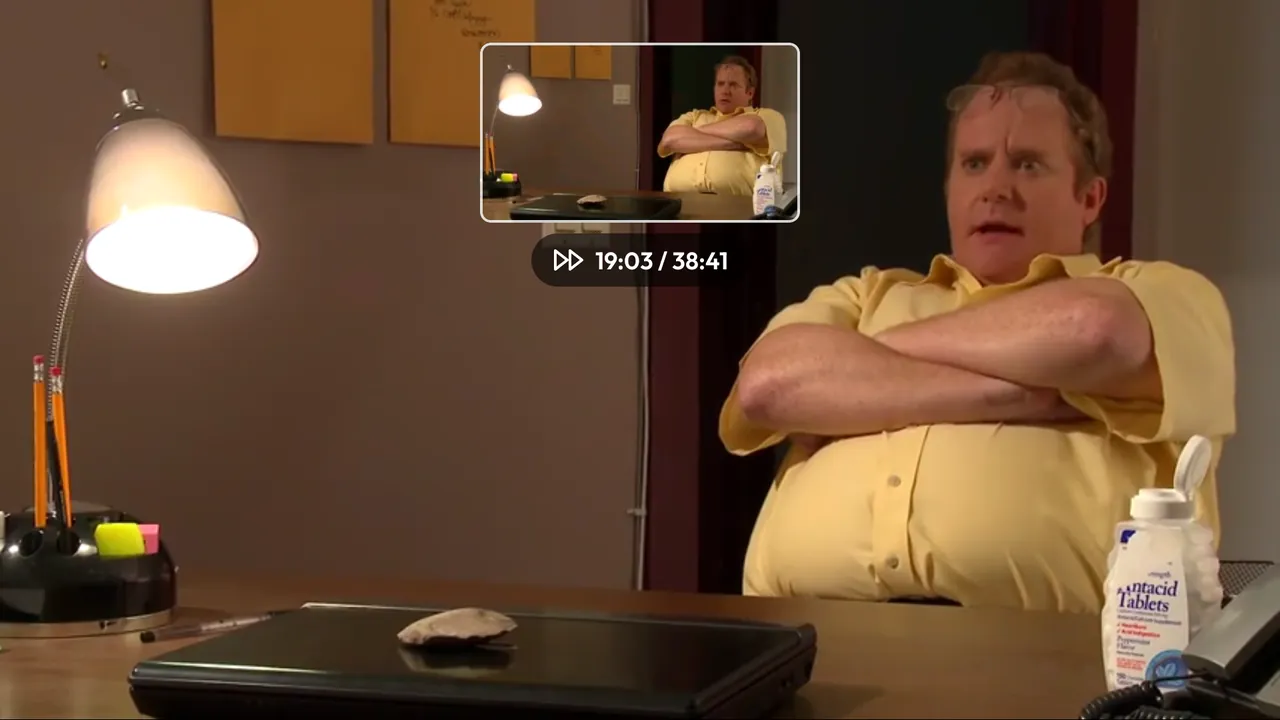

- Side drawer: Search, Home, Favorites, your libraries, Settings.
- Home with a hero for the focused item. Rows stay put; you choose and order them.
- Library grid with an A to Z jump bar, a counter and the hide-watched filter.
- Episodes open in their season, details first. Cast rows and person pages.
- Player: D-pad seeking, media keys, trickplay thumbnails, an overlay with the series, end time, previous, next and the queue. Subtitle sync.
- Refresh rate switching to match the video.
- Continue Watching and Next Up in the Android TV home screen's Watch Next row.
- Screensaver with your library's artwork. Optional theme music on show pages.
- Sleep timer, "Up next" card and profile PIN, as on the phone.
- Collections, trailers and settings all reachable with the remote.
Install
Phones and tablets use the -libre-<abi>.apk or -proprietary-<abi>.apk files, Android TV the -libre-tv-<abi>.apk files. Nearly everything is arm64-v8a; 32-bit TV boxes such as the Xiaomi Mi Box need armeabi-v7a.
The phone app comes in two variants. libre has no Google code. proprietary adds Google Cast (Chromecast) and needs Google Play services to cast. Every release has both, with the same application ID and signing key, so one installs over the other and keeps your login, settings and downloads. The Android TV app is libre only. Coming soon: F-Droid and the Amazon Appstore with libre, Google Play with proprietary on phones.
Obtainium
Add https://github.com/midasvo/ephyra in Obtainium. Leave Include prereleases off and set Filter APKs by regular expression. A release has more than one APK, so without a filter Obtainium asks which one to install.
| Phone or tablet, libre | -libre-arm64-v8a\.apk$ |
|---|---|
| Phone or tablet, proprietary (Cast) | -proprietary-arm64-v8a\.apk$ |
| Android TV, 64-bit | .*-tv-arm64-v8a\.apk |
| Android TV, 32-bit | .*-tv-armeabi-v7a\.apk |
Releases page
Download the APK from Releases on GitHub. Each release lists what changed; the full history is in the changelog.
Ephyra has its own application ID, so it installs next to Findroid. Coming from Findroid CE, the update installs over it and keeps your login, settings and downloads.
F-Droid
Submitted, waiting for review. The build is reproducible and verified against the GitHub APKs, so once listed you can switch sources without reinstalling.
Beta
Every push to main publishes a prerelease. It installs as a separate app, Ephyra Beta, with its own data. Untested; expect bugs.
In Obtainium, add the repository again with Include prereleases on, filter release titles by ^Beta and APKs by -beta\.\d+-libre-arm64-v8a\.apk$, or -beta\.\d+-proprietary-arm64-v8a\.apk$ for Cast.
Questions
What is Ephyra?
A free, open-source Jellyfin client for Android phones, tablets and Android TV. It plays the movies and series on your own Jellyfin server; it has no content of its own and needs Android 10 or newer, or Android 9 on TV.
How is Ephyra different from Findroid?
Ephyra is a fork of Findroid and keeps merging Findroid's changes. On top of that it adds resumable downloads with a quality per download, Dolby Vision, subtitle styling, profiles with a PIN, tablet layouts and a TV app rebuilt for the remote.
Is Ephyra the same app as Findroid CE?
Yes. Ephyra was called Findroid CE until version 2.0.0. The update installs over Findroid CE and keeps your login, settings and downloads.
Can I download from Jellyfin to watch offline?
Yes, on phones and tablets. Download an episode, a season or a whole series, to internal storage or an SD card, in the original quality or as a smaller copy converted by the server. Downloads resume after an interruption, and the app switches to offline mode by itself when there is no connection.
Does Ephyra play Dolby Vision and Dolby Atmos?
Dolby Vision plays directly where the device supports it and is transcoded by the server where it doesn't. Atmos goes through the device's own decoder, with ffmpeg as the fallback.
Does it work on my Android TV box?
Ephyra has a separate Android TV app in every release, for 64-bit devices and for 32-bit boxes such as the Xiaomi Mi Box. It uses the same server and login as the phone app.
Is Ephyra on Google Play or F-Droid?
Not yet. The F-Droid submission is waiting for review. Until then, install it with Obtainium or from the releases page on GitHub; see Install.
Is it free, and what does it collect?
Ephyra is free and licensed under the GPLv3, without ads or tracking. It collects nothing and only talks to the Jellyfin servers you add. See the privacy policy.