Ephyra: a Jellyfin client for Android and Android TV
Ephyra is a Jellyfin client for Android phones, tablets and Android TV. It’s free, open source under GPLv3, and I maintain it. It’s a fork of Findroid by Jarne Demeulemeester, and until version 2.0.0 it was called Findroid CE. If you searched for either of those names and ended up here: same app, same developer, new name.
You need your own Jellyfin server and Android 10 or newer. The code is at github.com/midasvo/ephyra.
Why a fork
We go on a lot of holidays, and we’re fine with our kids watching a few shows and movies on the tablet when there’s some downtime. Mostly Bluey, honestly. My tablet doesn’t have much storage, but there’s plenty of room on the SD card. So I forked Findroid, added downloads to the SD card, tested it, and opened a pull request.
When I wanted to get it merged, I saw that the project had come to a relative standstill, with lots of open issues and pull requests. Looking into why, it made sense: the maintainer was in the middle of a big upgrade. Life sometimes gets in the way, and the things you do for free as a hobby are naturally the first to go.
So I made a “beta” variant instead, Findroid CE: a place where I could go wild, and where the maintainer, once he found the time, could cherry-pick changes that had already been tested on real devices for a while. It also gave others the chance to use the features and fixes they were waiting for. I gave it its own application ID, so it installs next to the real Findroid.
Then it kind of spiralled. I kept adding more and having fun with it, until calling it a beta made it seem like less than it was. That’s where the new name came from, and with it I let go of upstream a little. Everything is still open source, though: a good LLM should be able to port the work back to Findroid, and they’re very welcome to it.
Most of Ephyra is still Findroid, and I keep merging its changes in. What follows is what Ephyra adds on top.
What it adds
Downloads. They resume when the connection drops, they can go to an SD card, and every download asks which quality you want: the original file, or a smaller version converted by the server. You can download a whole season or a whole series in one go. Smart Downloads is opt-in: it keeps the next episodes of what you’re watching on the device and removes them once you’ve watched them.
Playback. Dolby Vision plays directly where the device supports it, and Dolby Atmos goes through the device’s own decoder. PGS, VobSub and DVB subtitles show up without the server having to transcode the video. You can style the subtitles (colour, outline, font, size) on both ExoPlayer and mpv, switch video quality during playback, and the app remembers your audio and subtitle choice per series.
Profiles. Switching between the users on a server is one tap, and a profile can be locked with a PIN that stays on the device.
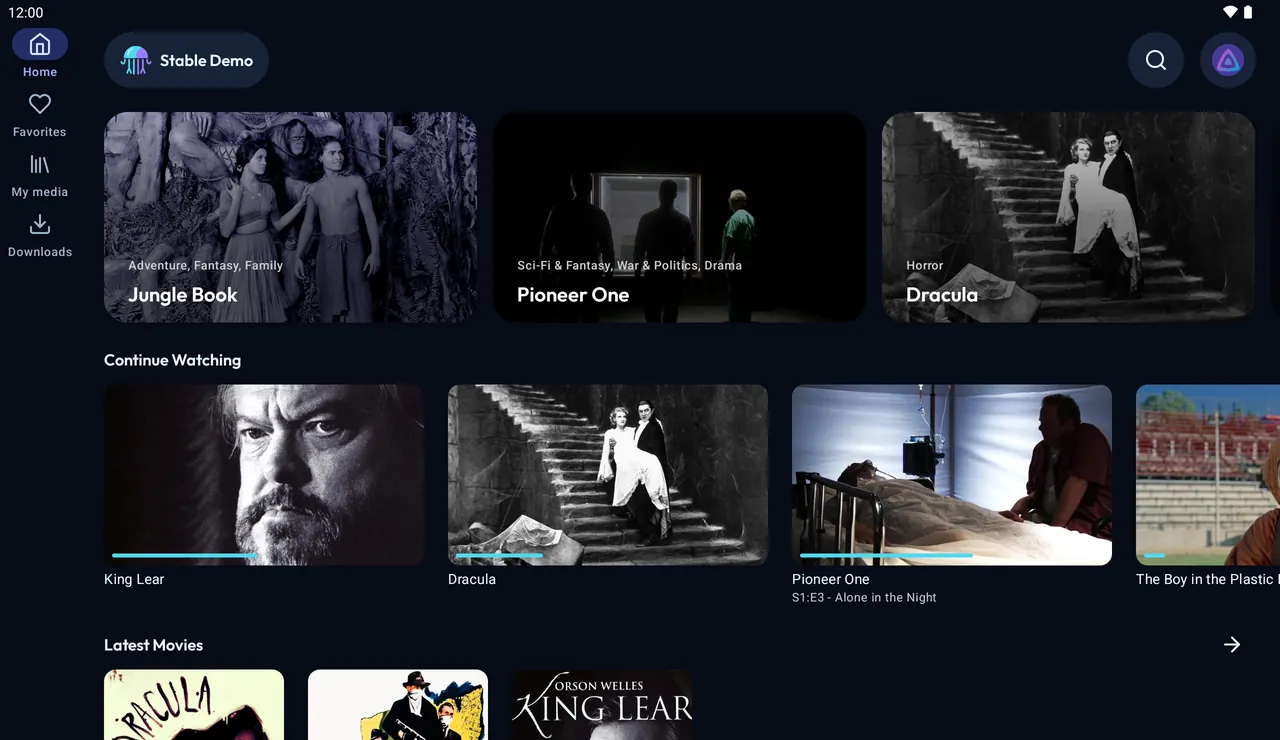
Tablets and foldables. It’s the phone app, laid out for the width it gets: a navigation rail, item pages with the poster beside the text, and a season as a list with the selected episode next to it.
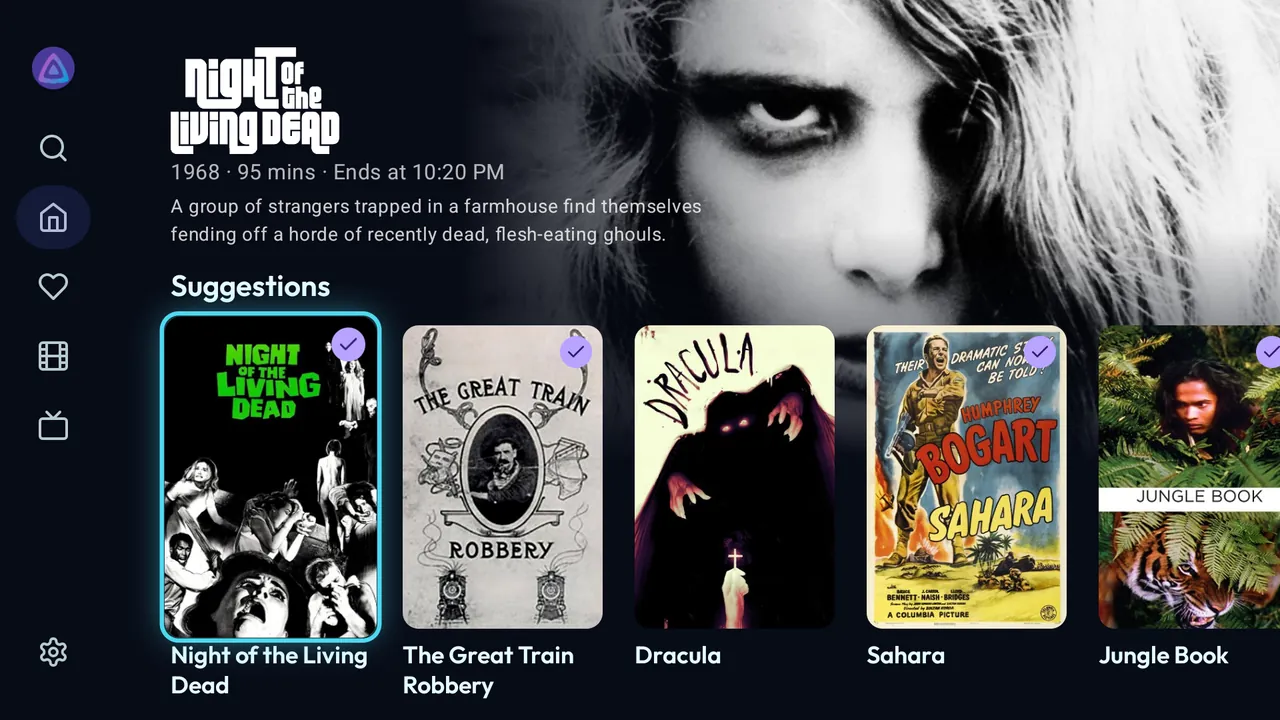
Android TV. This is a separate app, built for the remote. Trickplay thumbnails while seeking, refresh rate switching to match the video, a Watch Next row, a screensaver. It also runs on 32-bit boxes like the Xiaomi Mi Box.
Making it solid
I watch on my phone, my tablet and Android TV. On the TV, a Xiaomi box, I was using Wholphin, until at some point I thought: why don’t I just use Findroid here? I installed it and saw it wasn’t in great shape, and took that as an opportunity to make something great.
I care about speed, looks and features. But mostly I just want it to be rock solid. And to be honest, at some point the vibes got a bit too vibey: I was pushing out features without testing them on every device. So I started a session that ran for several days and checked every feature on basically every device, with six emulators running at a time and physical devices connected. That spawned over a hundred issues, which got fixed one by one.
The name
An ephyra is a young jellyfish, and a jellyfish is the animal in Jellyfin’s logo. The app was Findroid CE until version 2.0.0; the update installs over the old one.
Getting it
Ephyra isn’t on Google Play yet. For now there are two ways to install it:
- Obtainium: add
https://github.com/midasvo/ephyraand it keeps the app up to date. The README has the filters for phone and TV. - The releases page on GitHub, if you’d rather download the APK yourself. The latest release is v2.4.4.
An F-Droid listing has been submitted and is waiting for review.
If you’re on Findroid CE, the update installs over it and keeps your login, settings and downloads. If you’re on Findroid, Ephyra installs next to it.
What it doesn’t do
It collects nothing. No analytics, no account with me, no server of mine in the middle. The app only talks to the Jellyfin servers you add yourself.
What’s next
Mostly stability. New features are fun, but I’d rather have an app that just works on every device than one more switch in the settings.
And getting it on all the stores. Obtainium is awesome, but it’s for nerds. If I want my sister to use Ephyra, it just has to be on the Play Store. So that’s coming, and F-Droid too, once the review is done.
Everything about the app is on midasvo.nl/ephyra. Bugs and requests go to the issue tracker.